//
ChatGPT AI Photo Editing Prompts
ChatGPT AI Photo Editing Prompts
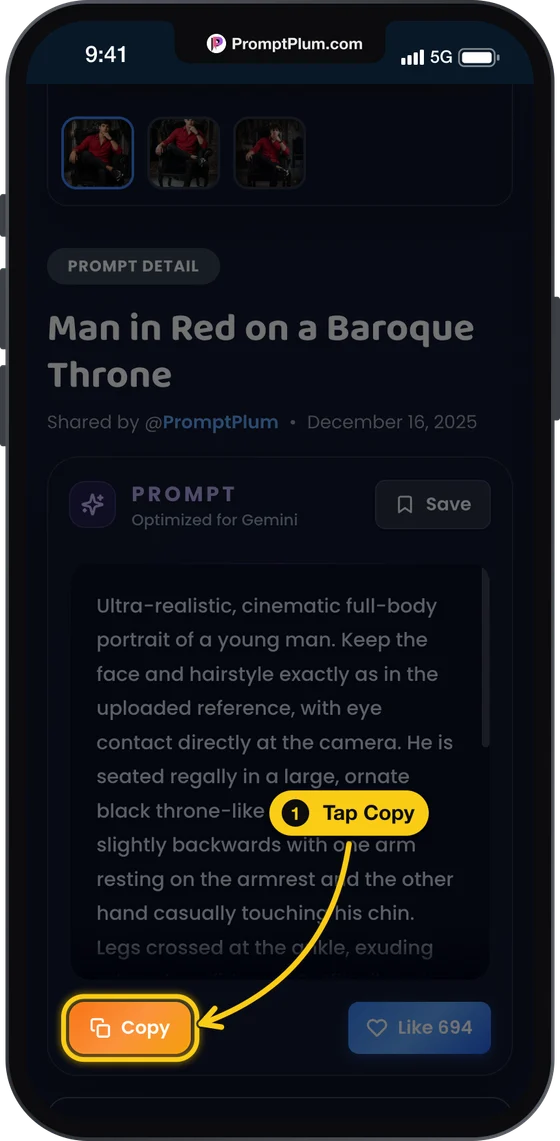
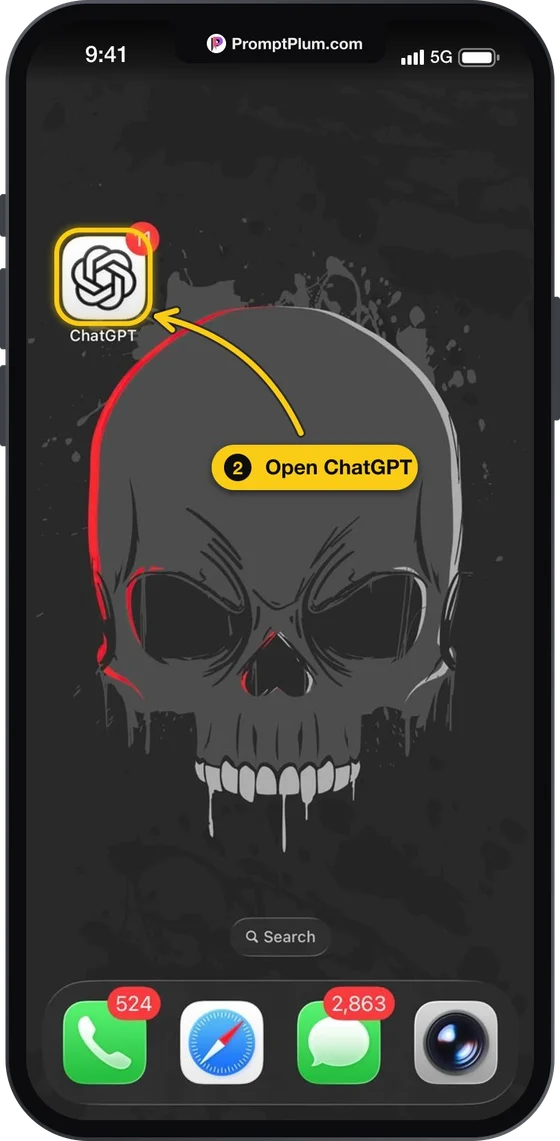
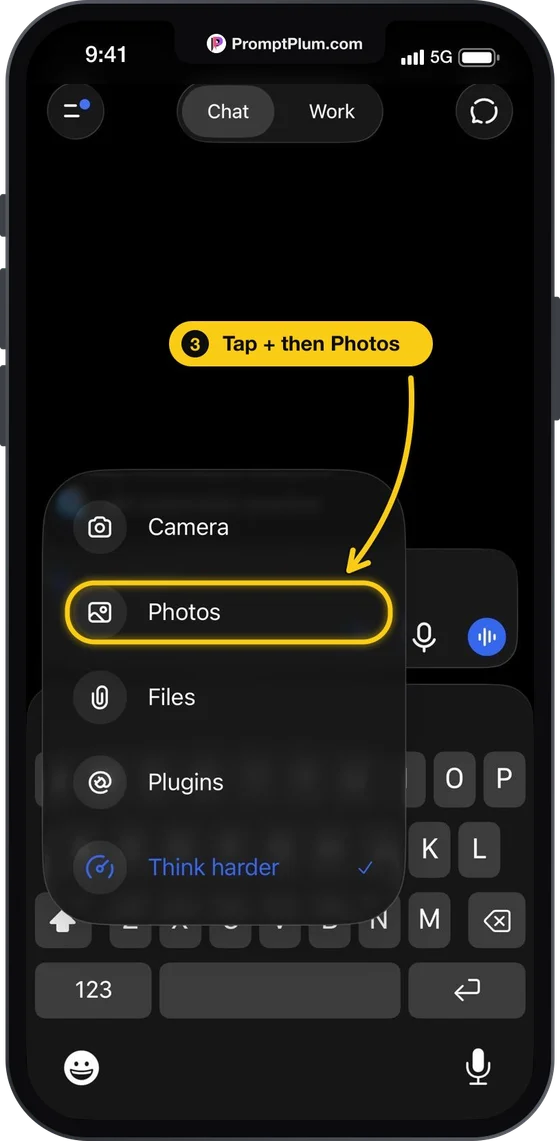
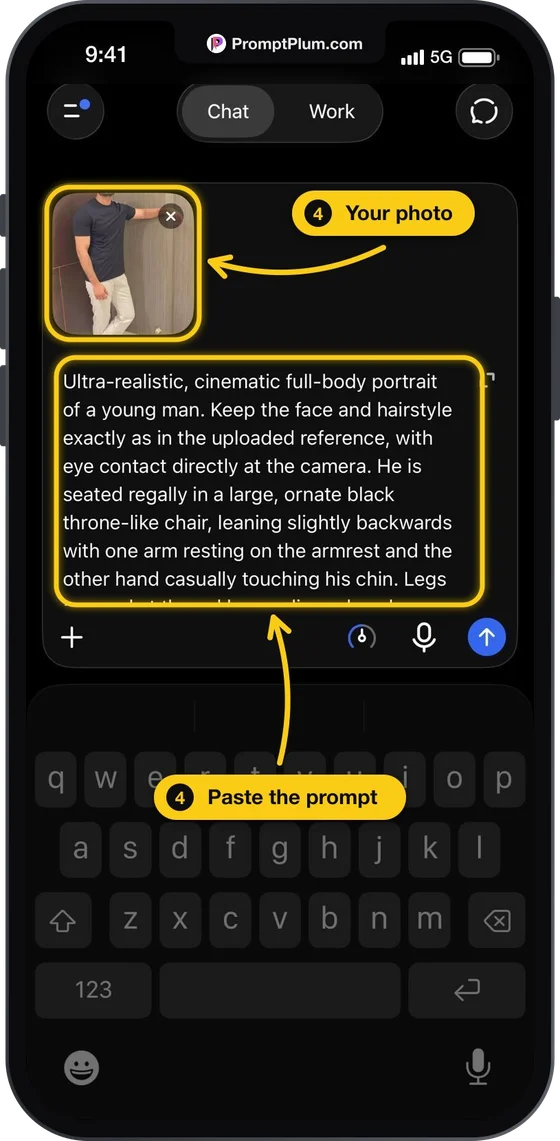
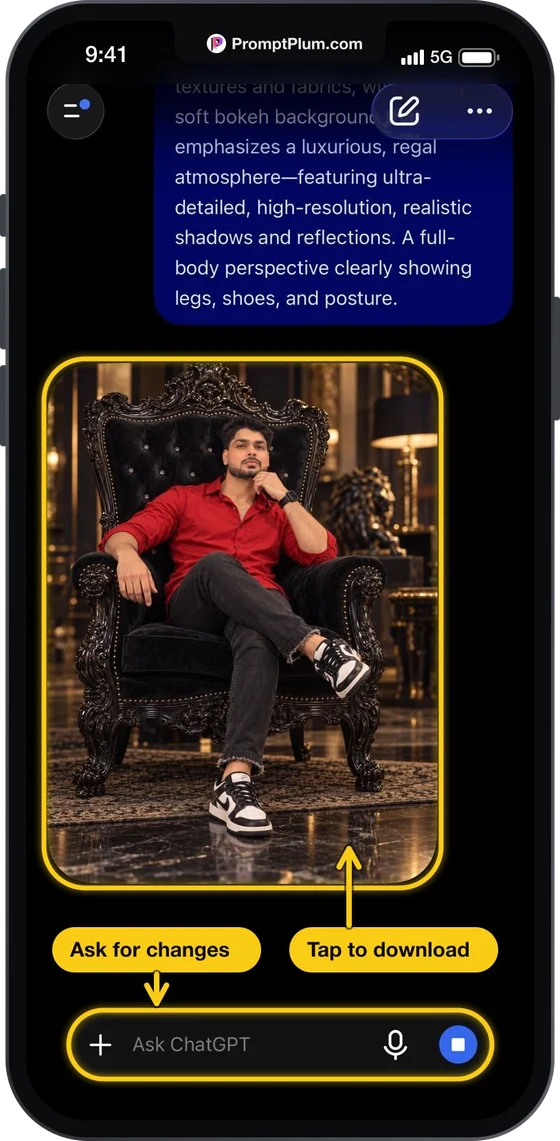
New here? See how to use these prompts in ChatGPT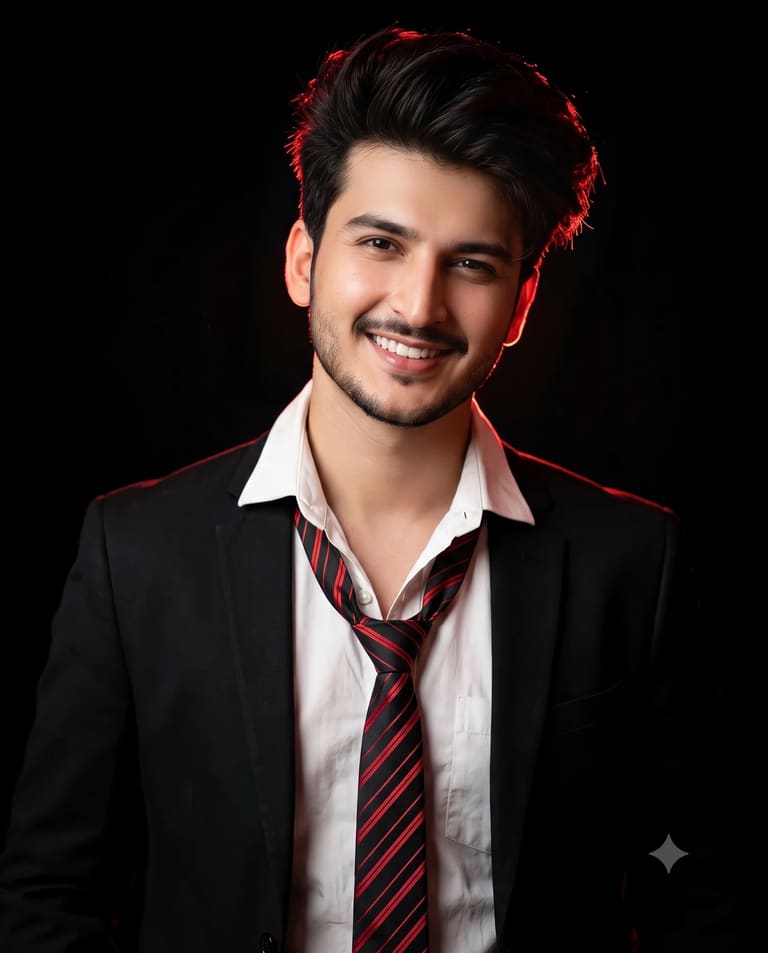
Portraits
Man with Loosened Tie in Dramatic Red Lighting
A reference man wearing a black blazer, open-collar white shirt, and loose black-red striped tie, standing against a pure black background, soft posit
By PromptPlum
Black & White
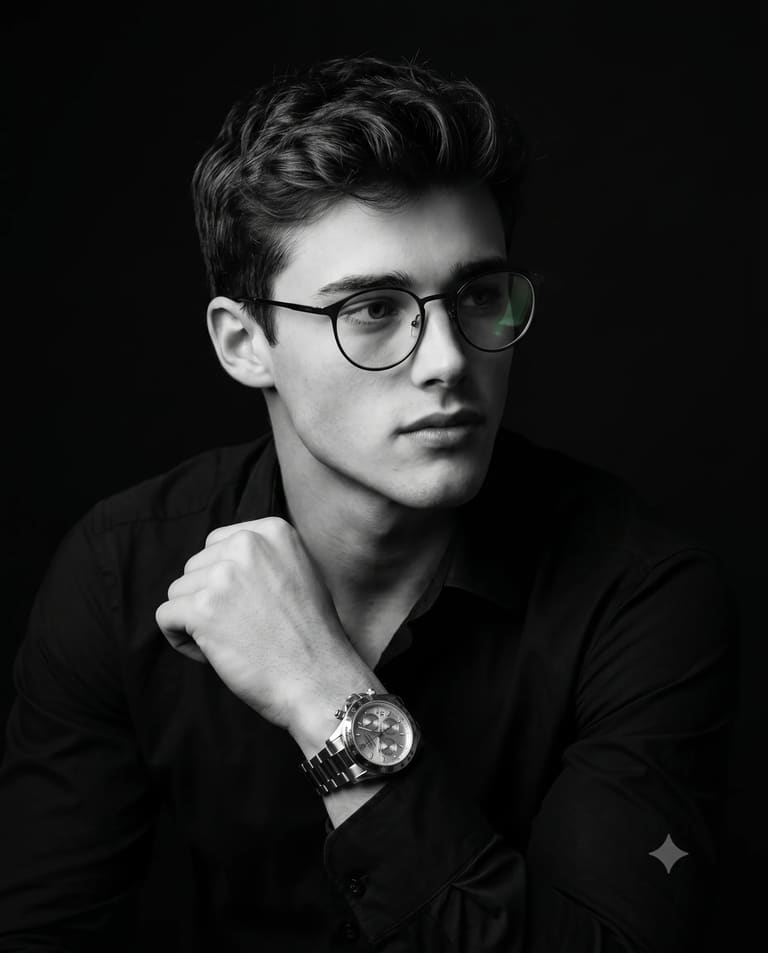
Focused and Framed
Use the uploaded image strictly only for face and Identity reference. Preserve the subject’s facial structure, skin tone, age, hairstyle, and natural
By PromptPlum
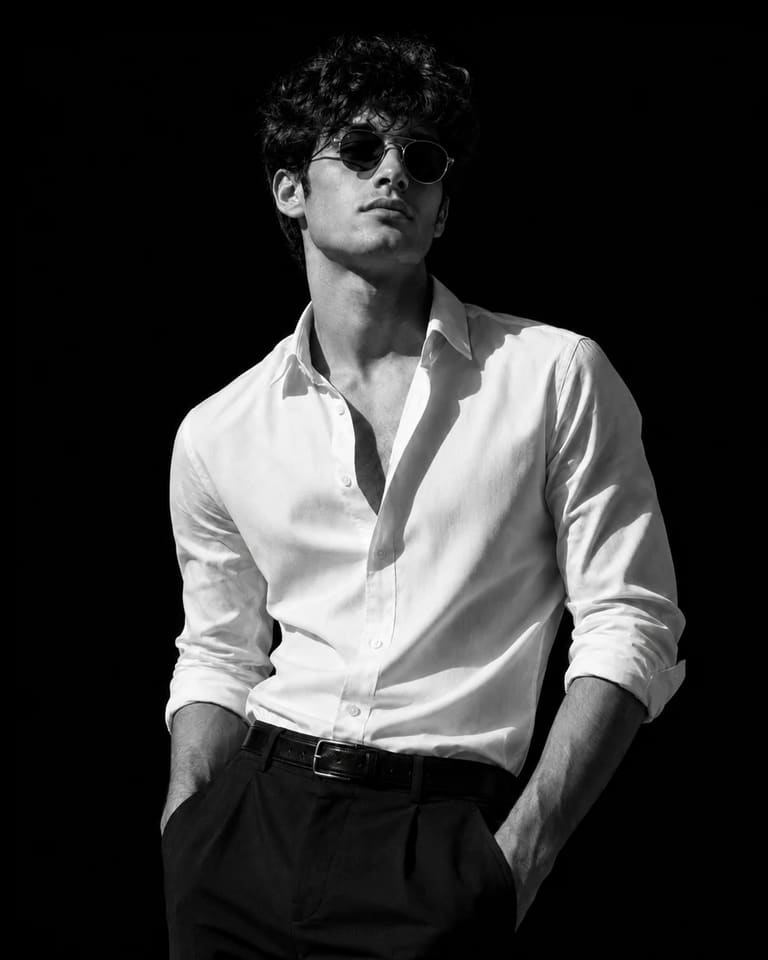
Men’s Fashion
Vintage Man in White Shirt & Sunglasses
Dramatic black-and-white studio portrait of a man, wearing round vintage sunglasses. Wearing a crisp white dress shirt with top buttons undone, sleeve
By PromptPlum
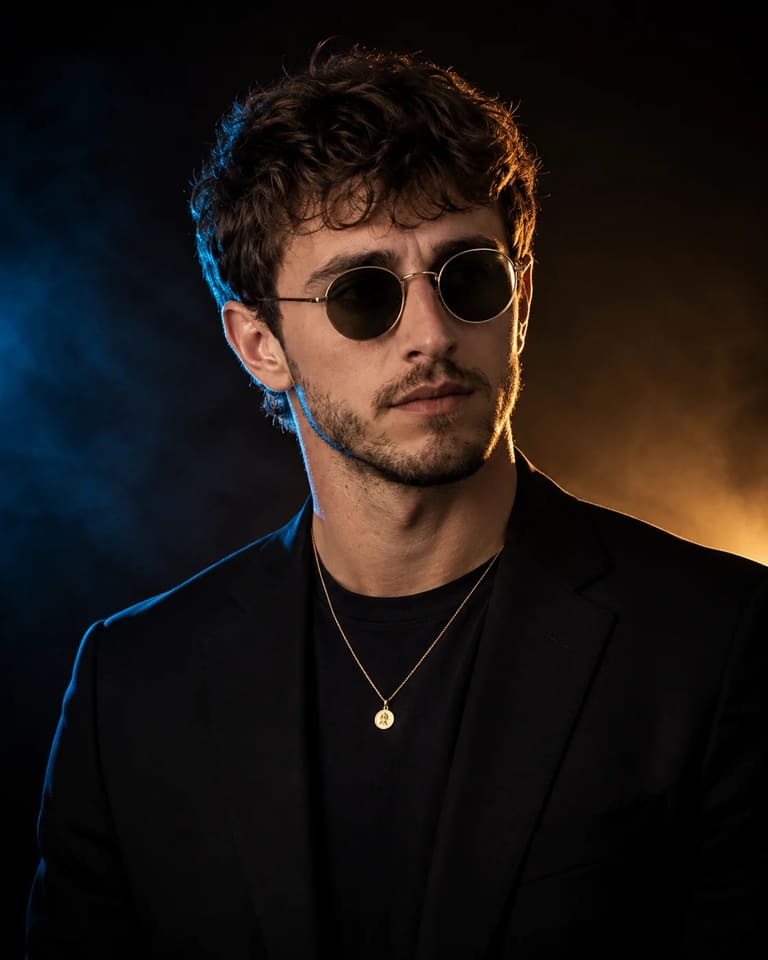
Cinematic Photography
Cinematic Dual-Tone Lighting Portrait
Edit the attached photo of this person into a hyper-realistic luxury editorial studio portrait. This is the same individual from the uploaded image —
By PromptPlum
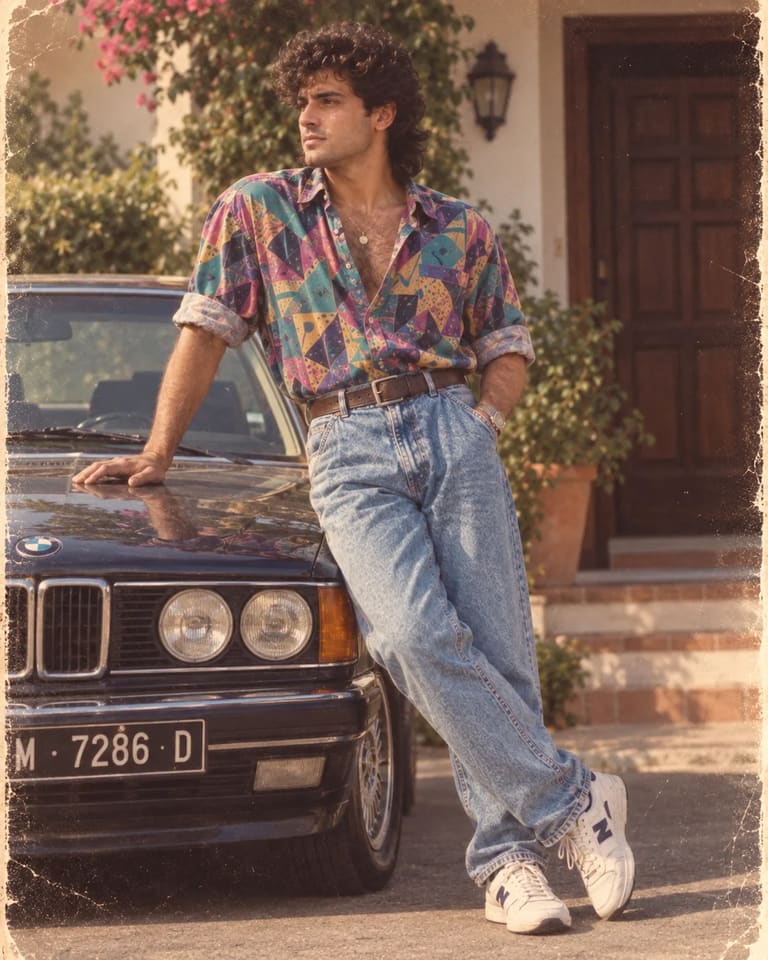
Viral
80s Men's Vintage Car Portrait
Using the uploaded photo as facial identity only; ignore its original pose, clothing, hairstyle and background. Recreate the person as a stylish young
By PromptPlum
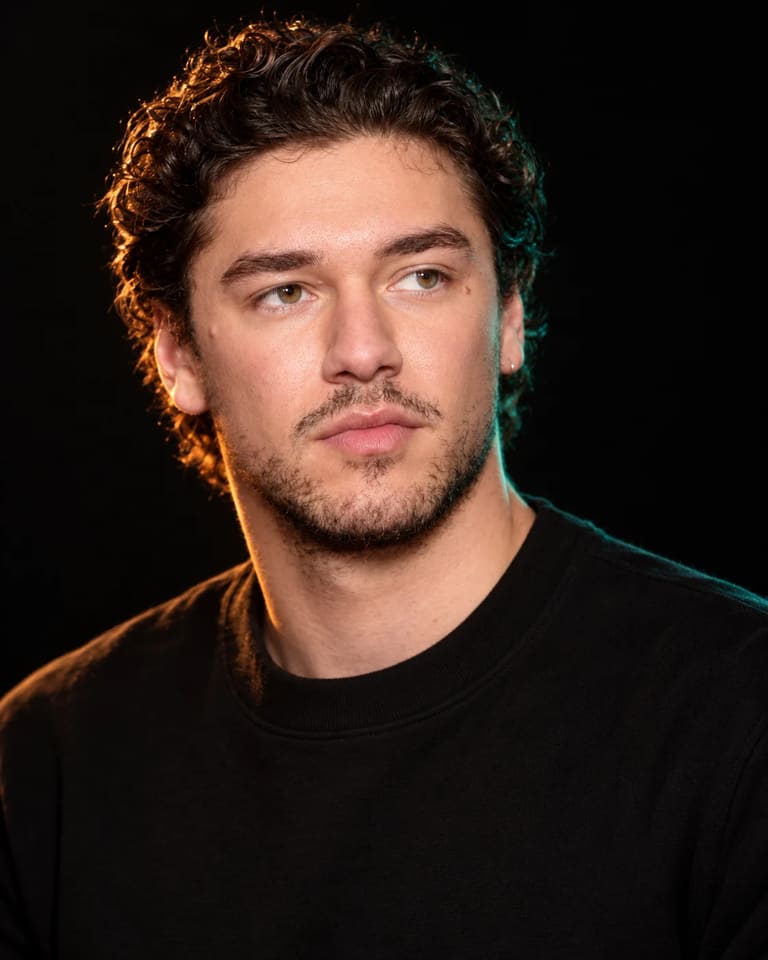
Cinematic
Moody Teal Orange Gradient Man Portrait
Hyper-realistic cinematic studio portrait of a well-groomed man wearing a plain matte-black crewneck sweatshirt. Tight chest-up composition, centered,
By PromptPlum
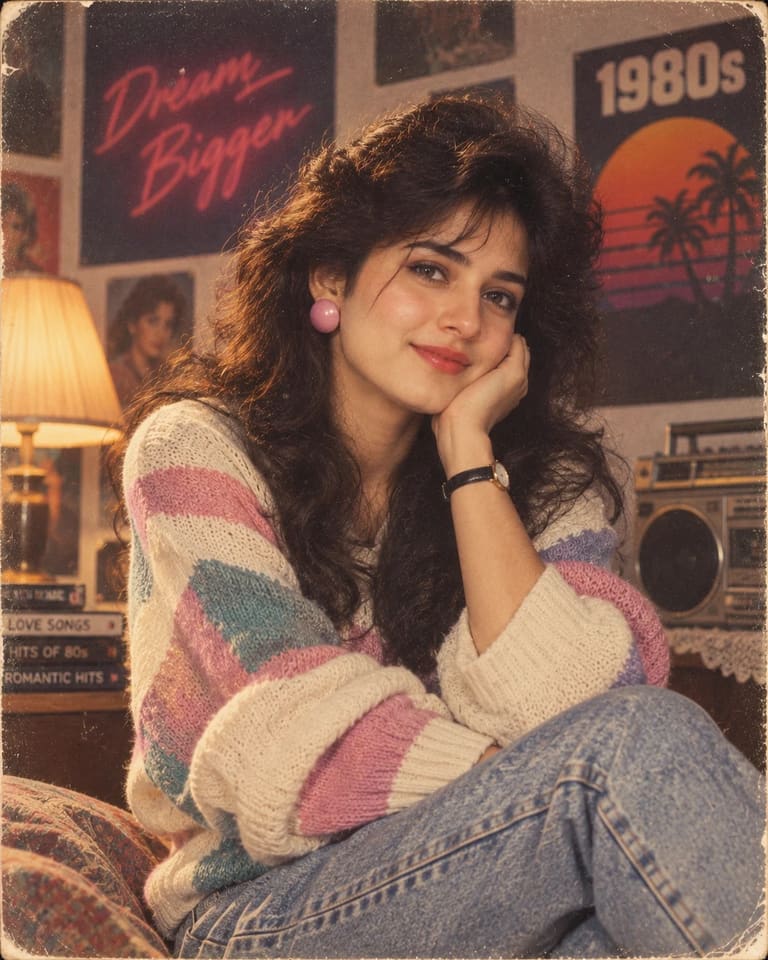
AI Photo Editing
Nostalgic 1980s Bedroom Portrait Prompt
Using the uploaded photo as the identity reference, recreate the person as they might have looked in the 1980s. Keep the facial identity recognizable
By PromptPlum
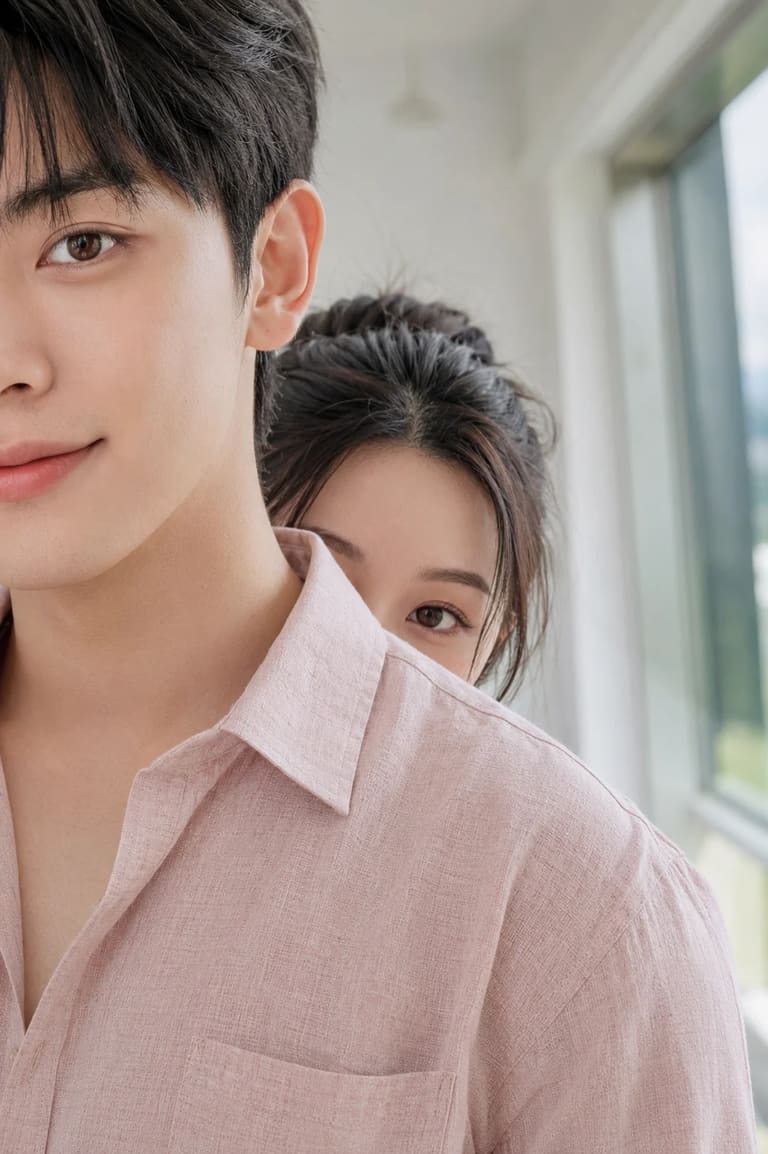
Selfie
Couple Photo Editing ChatGPT Prompt
Use the uploaded male and female images as identity references only. Preserve both faces, hairstyles, skin tone, and facial features accurately. Creat
By PromptPlum
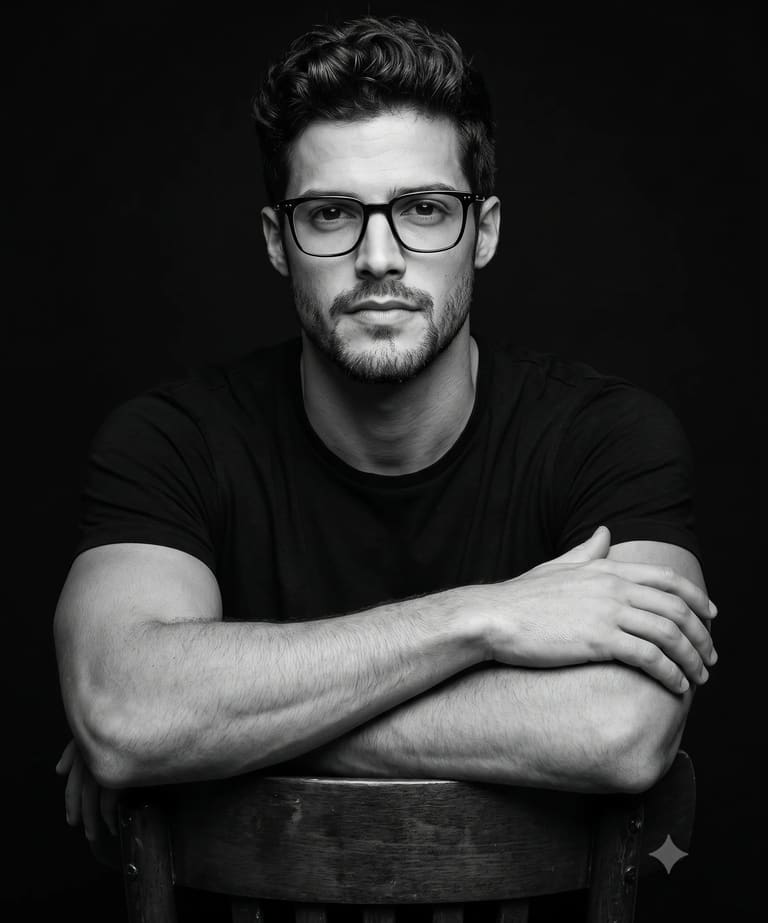
Black & White
Man Sitting on Chair B&W Portrait AI Prompt
Use the face from the uploaded reference image and preserve the same facial features - do not alter the face. Well-groomed man seated on a wooden chai
By PromptPlum
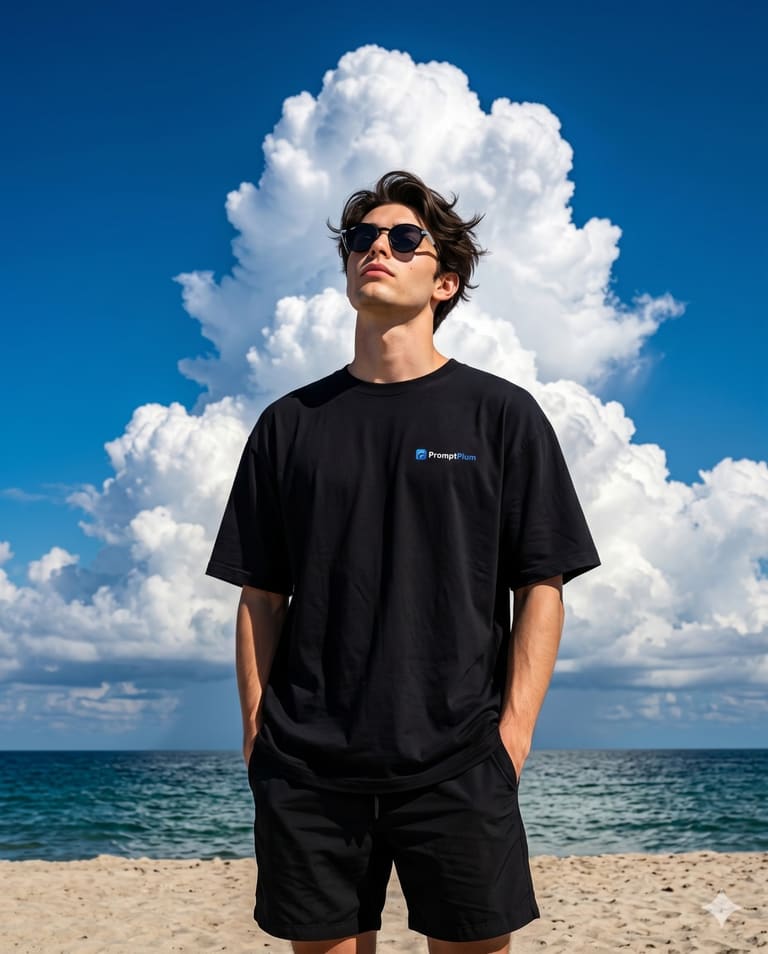
Outdoor
The Cloud Crown
Create a photorealistic, ultra-high-definition portrait of a handsome man standing on a serene beach, captured from mid-thigh to head. The camera is p
By PromptPlum
Viral
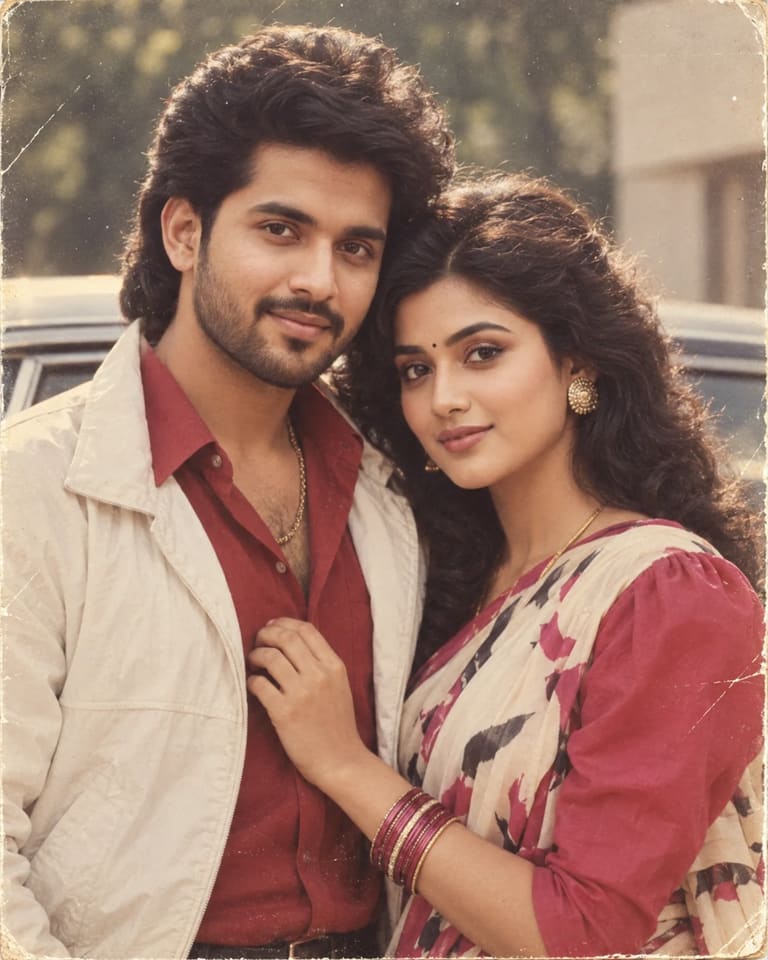
80s Vintage Couple Portrait
Using the uploaded photo as the identity reference for both people, recreate us as a stylish couple in the 1980s. Keep both faces recognizable, give u
By PromptPlum
AI Art
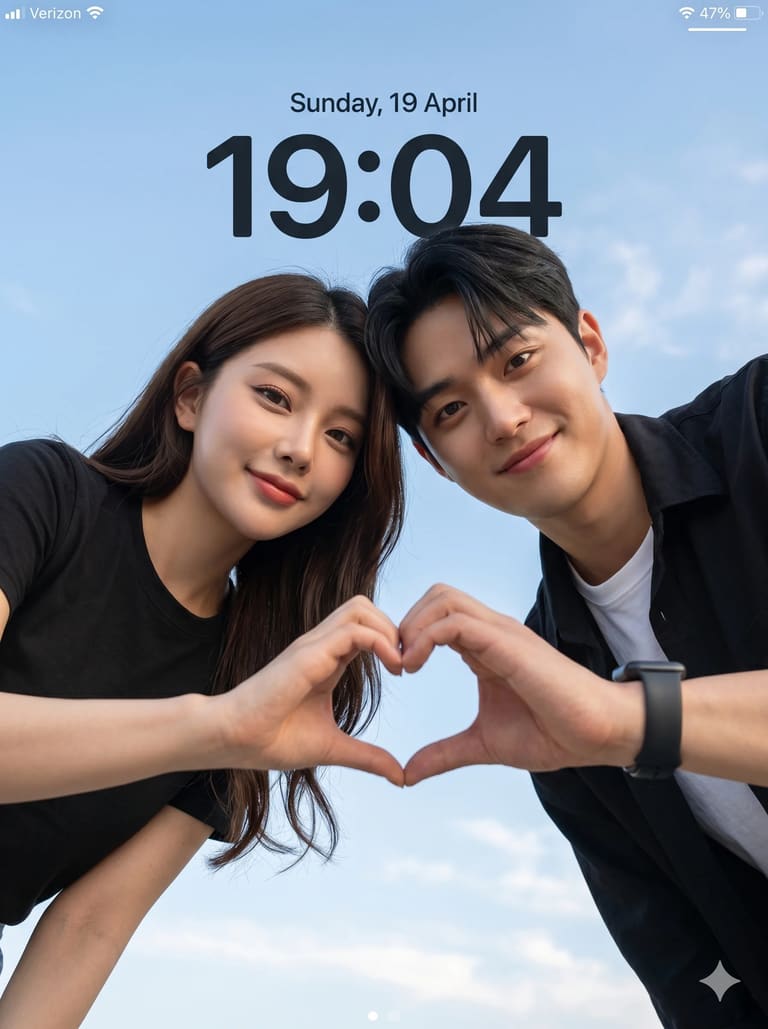
Skyward Couple
Create an ultra-realistic cinematic low-angle couple portrait with a smartphone lockscreen UI overlay. Capture in 8K DSLR quality with extremely sharp
By PromptPlum
Relationship & Love
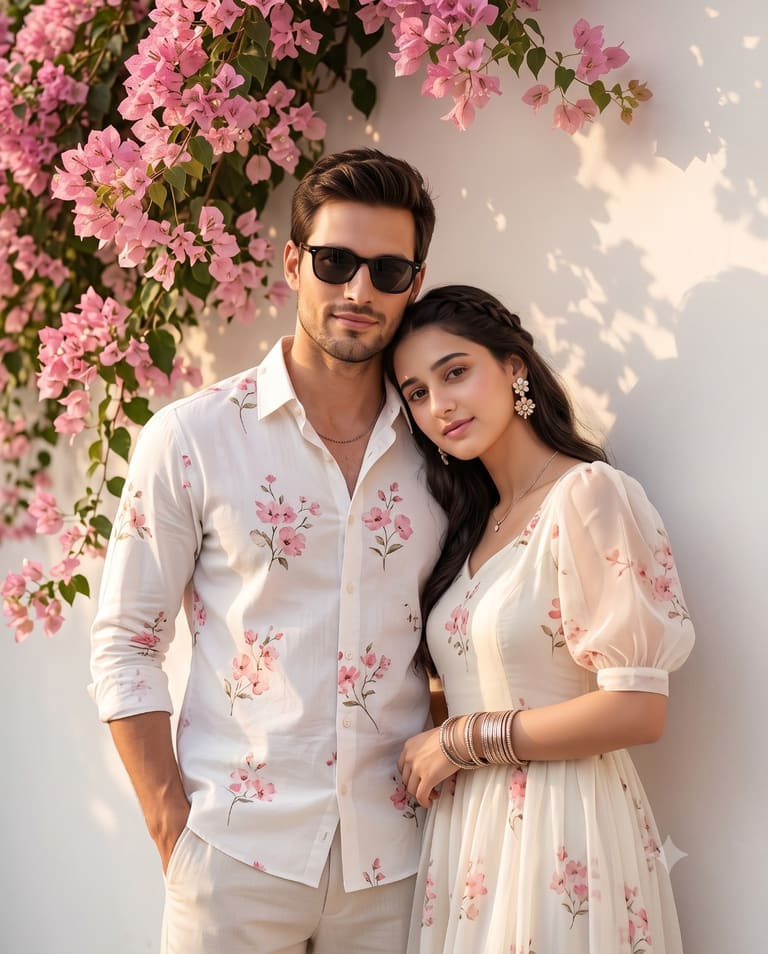
Couple in Matching Floral Whites
Create a romantic cinematic portrait of a stylish couple standing closely together beside a soft white smooth wall covered with lush pink bougainville
By PromptPlum
Men
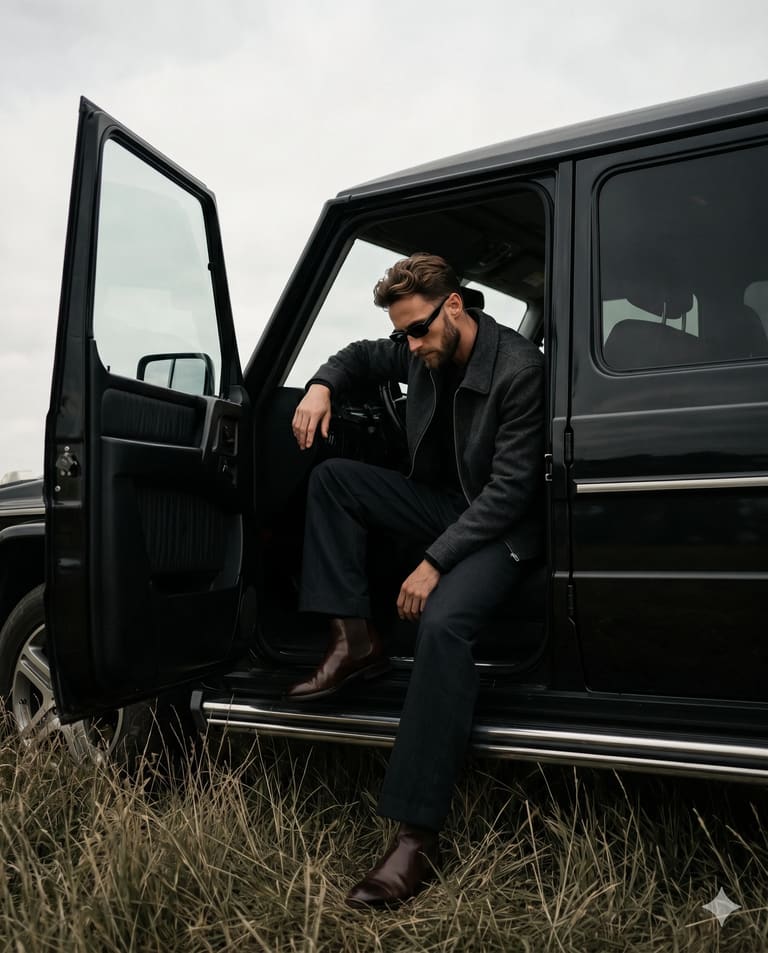
Off-Grid Elegance
Use the uploaded image strictly only for the male subject’s face and identity reference. Preserve his natural facial features and overall likeness wit
By PromptPlum
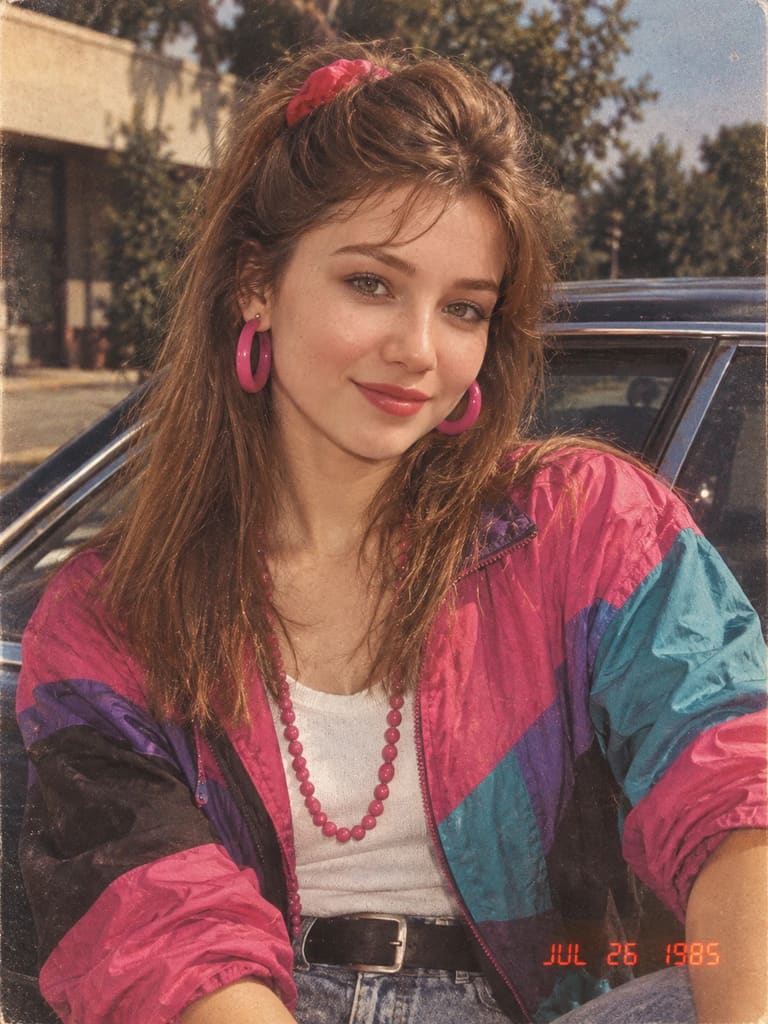
AI Photo Editing
1980s AI Photo Trend Girl & Woman
Using my uploaded photo, show me what I would have looked like around 1985. Preserve my identity, facial features, skin tone, age, and recognizable ap
By PromptPlum
Retro / Vintage
80s Women's Vintage Car Portrait
Using the uploaded photo as facial identity only; ignore its original pose, clothing, hairstyle, framing and background. Recreate the person as a styl
By PromptPlumProfile Picture
Neon Halo Portrait
Use the uploaded image only for the person’s face and identity reference. Preserve the same facial features, skin tone, age, gender, hairstyle, hair l
By PromptPlumAI Photo Editing
Large 3D Name Sign Portrait
Create a premium, ultra-realistic full-body studio fashion portrait of the uploaded man, preserving his natural facial identity, skin tone, age, hairs
By PromptPlumEditorial Portrait
Monochrome Enigma
Use the uploaded image strictly only for the male subject’s facial identity and natural features. Create an ultra-realistic high-contrast black-and-w
By PromptPlumMoody
Black and White Profile of Man Holding Glass
A dramatic black-and-white editorial portrait photographed in side profile, leaning back against a plain dark wall with eyes closed and chin tilted up
By PromptPlumFamily
Monochrome Family Profile Portrait
Use the uploaded family photos as identity references and create an elegant vertical black-and-white family portrait featuring a father, mother, and y
By PromptPlumDigital Art
Dramatic Red Character Collage Prompt
Create a dramatic tribute poster with a bold red monochrome background. ” The background should feature a faint, large close-up of a man’s eyes blende
By PromptPlumCinematic Portrait
Cinematic Amber Backlit Male Portrait AI Prompt
Create an ultra-realistic cinematic portrait of the same male person from the uploaded reference image. Preserve his recognizable facial identity, nat
By PromptPlumBirthday
A Dapper Birthday Toast
Ultra-realistic 4:5 aspect-ratio, celebration portrait of a young man wearing a classic black tuxedo with a white dress shirt and black bow tie, smili
By PromptPlumTypography Art
Boy Standing Next to 3D Name
Use the uploaded image only for the subject’s face and identity reference. Create a premium photorealistic full-body studio fashion portrait of the s
By PromptPlumLine Art
Man in Suit Sketch Prompt
Use the uploaded image strictly ONLY for face matching and identity reference. Preserve exact facial structure, proportions, eye shape, nose structure
By PromptPlumCinematic Portrait
Warm Studio Light Male Portrait
Create a cinematic, ultra-realistic editorial portrait photograph of a man wearing a premium textured light beige/cream crew-neck sweater and round, t
By PromptPlumRelationship & Love
Twilight Seaside Romance
A photorealistic, ultra-detailed medium portrait of a highly attractive, elegant couple standing closely together on a beach at twilight. The beautifu
By PromptPlumPremium
LinkedIn Profile Picture
Use the uploaded photo only as the subject identity reference. Preserve the person’s natural facial structure, skin tone, eye shape, hairstyle, and an
By PromptPlumMixed Media Art
Aesthetic Couple Wallpaper
Create an ultra-realistic iOS-style lockscreen wallpaper featuring the uploaded couple as the main characters. Use the uploaded image strictly for fac
By PromptPlum